Navigation: User Interface >
Model Validation


|
Navigation: User Interface > Model Validation |
|
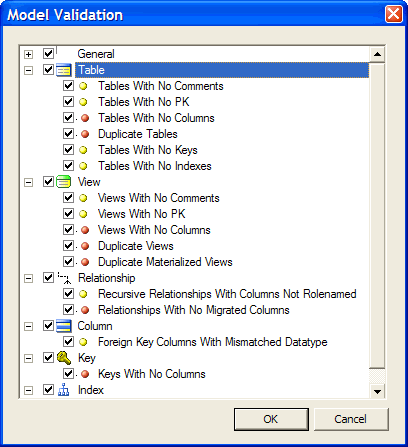
Selecting the menu item Model -> Validate, or the Shortcut Task  brings up the Model Validation dialog. This dialog allows you to check your model for commonly occurring problems and issues. Entries marked with a red dot
  indicate an issue that will prevent the model from generating to the database. Entries marked with a yellow dot
  indicate a possible issue, but not something that would prevent your model from generating to the database.
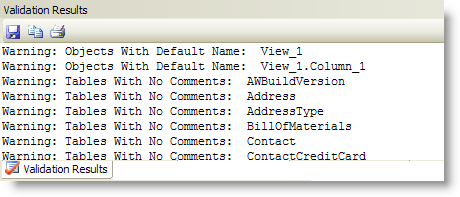
The results of running a Model Validation are displayed in the Validation Results window. When you select an item in this window, the corresponding object is selected. The Validation Results window allows extended selections so you can select multiple items and make changes to them all at once (using the Property Browser).
Page url: https://www.modelright.com